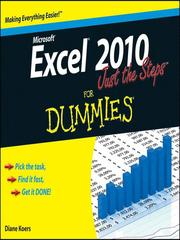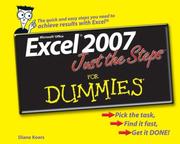
Excel 2003 just the steps for dummies
Diane Koers · 2006
Where to buy
Amazon’s price changes daily, so the most accurate place to see it is there, at the moment you buy.
View on AmazonThis is an affiliate link: if you buy through it, the site earns a small commission at no extra cost to you, which helps us bring quality content and maintain the site. As an Amazon Associate we earn from qualifying purchases.
About the book
Easy steps for creating spreadsheets you can really use Simple steps... ...for great results Use AutoOutline Choose Data Group and Outline AutoOutline. Figure 11-9 illustrates a worksheet with outline headings for both rows and columns. Row outline symbols are at the top of the worksheet. AutoOutline works best if the worksheet has summary formulas that reference cells in the detail cells. The summary formulas must be adjacent to the detail. To expand the outline, click the Show Detailbuttons to the left of the rows or above thecolumn headings. (See Figure 11-10.) To collapse the outline, click the Hide buttonsto the left of the rows or above the columnheadings. To remove the AutoOutline, choose Data Group and outline Clear Outline. Get ready to Format cells and data
Book details
- Year
- 2006
- Language
- English
- Series
- --For dummies
- Publisher
- Wiley
- Editions
- 4
- Pages
- 209
- ISBN
- 9780764574887
Data source: Wikidata
More by Diane Koers