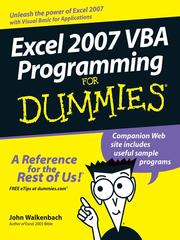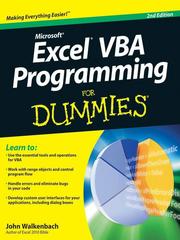
Excel VBA Programming For Dummies
John Walkenbach · 2010
Where to buy
Check today’s price on Amazon. We do not show prices because they change daily.
View on AmazonAffiliate link. As an Amazon Associate we earn from qualifying purchases.
About the book
Having Excel and just using it for standard spreadsheets is a little like getting the ultimate cable system and a 50" flat panel plasma HDTV and using it exclusively to watch Lawrence Welk reruns. With Visual Basic for Applications (VBA) programming, you can take advantage of numerous Excel options such as: creating new worksheet functions; automating tasks and operations; creating new appearances, toolbars, and menus; designing custom dialog boxes and add-ins; and much more. This guide is not for rank Excel amateurs. It's for intermediate to advanced Excel users who want to learn VBA programming (or whose bosses want them to learn VBA programming). You need to know your way around Excel before you start creating customized short cuts or systems for speeding through Excel functions. If you're an intermediate or advanced Excel user, Excel VBA For Dummies helps you take your skills (and your spreadsheets) to the next level. It includes: An introduction to the VBA language A hands-on, guided, step-by-step walk through developing a useful VBA macro, including recording, testing, and changing it, and testing it The essential foundation, including the Visual Basic Editor (VBE) and its components, modules, Excel object model, subroutines and functions, and the Excel macro recorder The essential VBA language elements, including comments, variables and constants, and labels Working with Range objects and discovering useful Range objective properties and methods Using VBA and worksheet functions, including a list and examples Programming constructions, including the GoTo statement, the If-Then structure, Select Case, For-Next loop, Do-While loop, and Do-Until loop Automatic procedures and Workbook events, including a table and event-handler procedures Error-handling and bug extermination techniques, and using the Excel debugging tools Creating custom dialog boxes, also known as UserForms, with a table of the toolbox controls and their capabilities, how-to for the dialog box controls, and UserForm techniques and tricks Customizing the Excel toolbars Using VBA code to modify the Excel menu system Creating worksheet functions and working with various types of arguments Creating Excel add-ins such as new worksheet functions you can use in formulas or new commands or utilities Author John Walkenbach is a leading authority on spreadsheet software and the author of more than 40 spreadsheet books including Excel 2003 Bible and Excel 2003 Power Programming with VBA. While th
Book details
- Year
- 2010
- Language
- English
- Series
- --For dummies
- Publisher
- Wiley Pub.
- Editions
- 16
- Pages
- 388
- ISBN
- 9780470503690
Data source: Wikidata
More by John Walkenbach