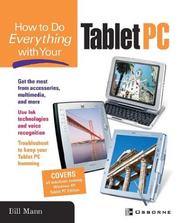
How to do everything with your Tablet PC
Bill Mann · 2003
Where to buy
Amazon’s price changes daily, so the most accurate place to see it is there, at the moment you buy.
View on AmazonThis is an affiliate link: if you buy through it, the site earns a small commission at no extra cost to you, which helps us bring quality content and maintain the site. As an Amazon Associate we earn from qualifying purchases.
About the book
Explore the capabilities and benefits of your Tablet PC hardware and software with help from this easy-to-understand guide. Get a thorough run-through of your new device, as well as the Windows XP Tablet PC Edition operating system that runs on it. Once you’ve become familiar with the hardware and software features, follow helpful chapters that reveal step-by-step how to configure your device, connect with the Internet, run on a network, and even go wireless. You’ll put your Tablet PC to work using accessories, running multimedia applications, playing games, writing with Ink, and much more. Plus—get plenty of troubleshooting techniques and advice.Examine your Tablet PC hardware Use the pen as a control device and text entry tool Draw pictures and play games on the screen Import your old files and settings Create user accounts to accommodate multiple users Connect to printers, faxes, scanners, digital cameras, and other peripherals Understand Tablet PC digital ink and handwriting recognition Use handwriting in Word, Excel, and PowerPoint documents Use backup and system restore features to protect all your data
Book details
- Year
- 2003
- Language
- English
- Publisher
- McGraw-Hill
- Editions
- 1
- ISBN
- 9780072230482
Data source: Wikidata
More by Bill Mann