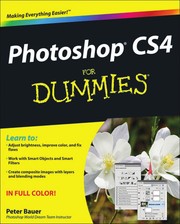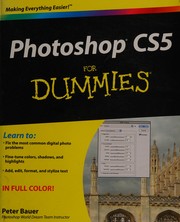
Photoshop CS2 for dummies
Peter J. Bauer · 2005
Where to buy
Amazon’s price changes daily, so the most accurate place to see it is there, at the moment you buy.
View on AmazonThis is an affiliate link: if you buy through it, the site earns a small commission at no extra cost to you, which helps us bring quality content and maintain the site. As an Amazon Associate we earn from qualifying purchases.
About the book
If you're a photography hobbyist, would you like to brighten up that gloomy island vacation photo? Slim down without going on a diet? See whether white or green shutters look best on the house? Expunge the ex-boyfriend from family photos? If you're a pro or semi-pro photographer, would you like to make it snow in that ski resort photo? Replace the old logo in the glamour shot of the corporate headquarters with the new one? Grow hair in the CEO's glaring bald spot? Freshen up the lettuce in that food shot? You've come to the right place. With Photoshop CS2, you have the tools. With Photoshop CS2 For Dummies, you'll have the know-how. In full color, with all kinds of examples, screen shots, step-by-step explanations, tips, and techniques, this guide takes you from the fundamentals to special power-user tricks! Cross-platform Mac-PC coverage includes: The basics of getting around in Photoshop, getting images into and out of Photoshop, choosing the right file formats, and setting your preferences Working with Adobe Bridge to organize and manage your images Working with tonality, including making easy Auto Repairs, making adjustments with Levels and Curves (and the eyedroppers), and using Shadow/Highlight and the toning tools, Burn and Dodge Making color look natural using the color adjustment commands Taking advantage of the RAW format for maximum flexibility, including using the Adjust, Detail, Lens, Curve, and Calibrate tabs and the Camera Raw buttons Fine-tuning your fixes, including making your selections with tools (four marquee tools, three lasso tools, and the Magic Wand tool) Masking for both layer visibility and for protecting parts of your images The most common problems in digital photos--red-eye, wrinkles, unwanted objects and people, and noise--and what to do about them With Photoshop CS2, you can go beyond enhancing your images to create "art." You have a very powerful painting engine, an extremely complex Brushes palette, and all kinds of painting tools. Photoshop CS2 For Dummies walks you though: Compositing (combining images into a piece of artwork) and working with layers, including choosing from the almost two dozen blending modes Selecting with Extract which is great for making tough selections, such as flyaway hair and various types of fringe Using Vanishing Point to "map" a pattern to angled surfaces Creating panoramas with Photomerge Creating precision edges with vector paths, including using shape layers and the Custom Shape tool, choos
Book details
- Year
- 2005
- Language
- English
- Publisher
- John Wiley & Sons, Ltd.
- Editions
- 1
- ISBN
- 9780764599699
Data source: Wikidata
More by Peter J. Bauer