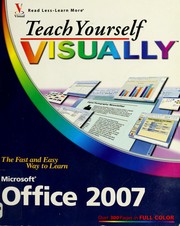
Teach yourself visually Office 2007
Sherry Kinkoph · 2007
Where to buy
Amazon’s price changes daily, so the most accurate place to see it is there, at the moment you buy.
View on AmazonThis is an affiliate link: if you buy through it, the site earns a small commission at no extra cost to you, which helps us bring quality content and maintain the site. As an Amazon Associate we earn from qualifying purchases.
About the book
Are you a visual learner? Do you prefer instructions that show you how to do something - and skip the long-winded explanations? If so, then this book is for you. Open it up and you'll find clear, step-by-step screen shots that show you how to tackle more than 220 Office 2007 tasks. Each task-based spread includes easy, visual directions for performing necessary operations, including: Using Galleries and Live Preview Finding hidden files Creating a blog post Assembling and presenting slideshows Developing a publication Building a spreadsheet Helpful sidebars offer practical tips and tricks Full-color screen shots demonstrate each task Succinct explanations walk you through step by step Two-page lessons break big topics into bite-sized modules
Book details
- Year
- 2007
- Language
- English
- Series
- Visual read less, learn more
- Publisher
- Wiley Pub., Inc
- Editions
- 3
- Pages
- 415
- ISBN
- 9780470045909
Data source: Wikidata
More by Sherry Kinkoph