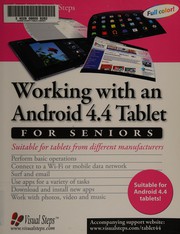
Working with an Android 4.4 tablet for seniors
Visual Steps (Firm) · 2015
Where to buy
Amazon’s price changes daily, so the most accurate place to see it is there, at the moment you buy.
View on AmazonAbout the book
This book covers the basic operations for using an Android 4.4 tablet in an easy, step by step manner. Popular tasks that can be done on a tablet such as sending and receiving email, surfing the Internet, getting directions, and keeping a calendar are fully explained. An Android tablet will contain one or more standard apps (programs) that allow you to view photos, watch videos, and play music. This book will help you learn how to work with all of these apps. You also learn how to search the Play Store for additional free and paid apps that will allow you to accomplish other tasks and activities. For example, there are apps for games, puzzles, newspapers and even photo editing. This book will get you thoroughly acquainted with the most important features and functions of a tablet running Android 4.4. Learn how to: *Perform basic operations *Connect to a Wi-Fi or mobile data network *Surf and email *Use apps for a variety of tasks *Download and install new apps *Work with photos, video and music Suitable for: All tablets running Android 4.4 There are many companies that make and market tablets. The most popular operating system used on tablets today is the Android operating system. In general, all tablets running Android, from version 4.0 and higher, function in much the same way. Some manufacturers will customize their devices by adapting the design of the home screen. The number and variety of apps available can also vary per tablet. Still the basic operations of an Android tablet and the way in which the apps work are for the most part very similar.
Book details
- Year
- 2015
- Language
- English
- Series
- Studio visual steps
- Publisher
- Visual Steps
- Editions
- 1
- Pages
- 240
- ISBN
- 9789059053700
Data source: Wikidata
More by Visual Steps (Firm)